
Nordic IPTV 2026: Complete Norway Guide and 7 Easy Fixes
Nordic IPTV means watching live TV channels and on-demand films from Norway and the rest of the Nordic region over an internet connection, without a satellite dish or a cable socket. In 2026 you need three things to use it: a stable broadband line, a device with a player app, and a subscription login. This guide explains each step for viewers in Norway and for Nordic people who live abroad.
Key takeaways
- Nordic IPTV is television delivered over the internet. You do not need an installer, a dish or a binding contract.
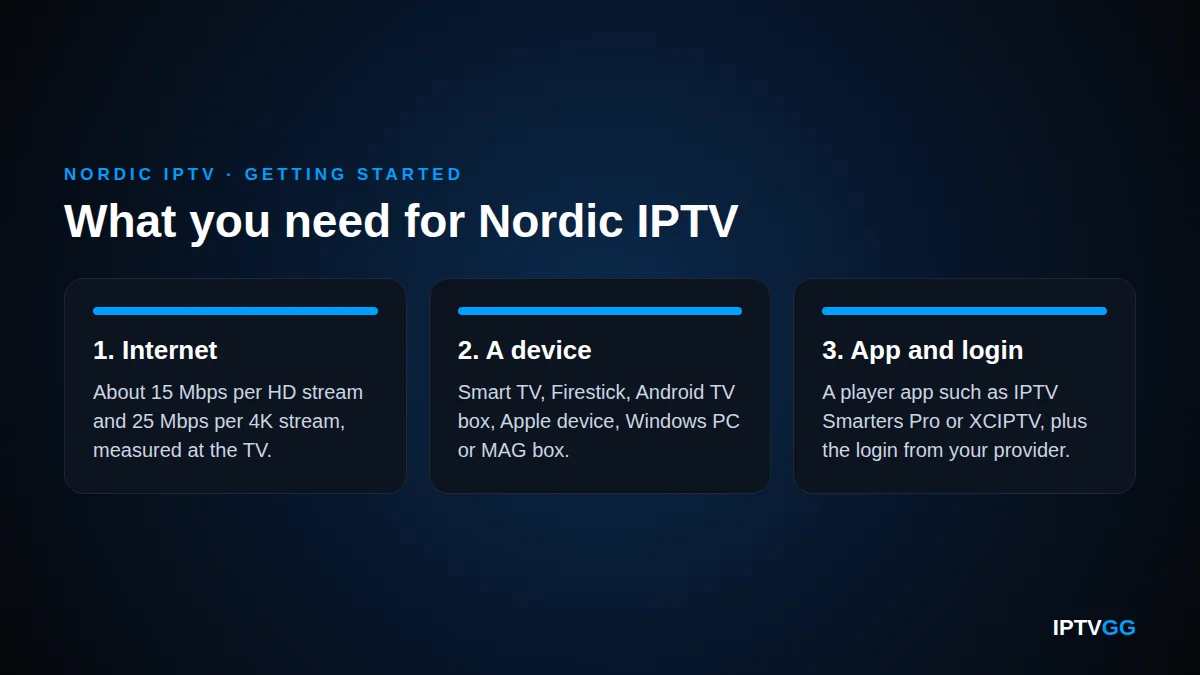
- Plan for about 15 Mbps per HD stream and 25 Mbps per 4K stream, measured at the TV and not at the router.
- Most homes in Norway have fast fixed broadband. Nordic IPTV at a cabin needs more planning because of signal and data limits.
- Test with the free 24-hour trial first. Then choose the number of devices and the length of the plan.
- Buffering, an empty TV guide and wrong programme times are the most common problems. Most of them can be fixed at home in a few minutes.
What is Nordic IPTV and who is it for?
IPTV stands for Internet Protocol Television. The picture travels through your broadband line in the same way as other video streaming. The word “Nordic” describes the content and the audience: channels, films and series that people in the Nordic countries want to watch, in the languages they speak at home.
Nordic IPTV is a description and not one fixed channel package. Line-ups differ between services and change over time. Before you pay, look at the IPTVGG plans and check that the countries and categories you care about are there.
Three groups of readers usually ask about it:
- Households in Norway that want live channels and films in one app.
- Cabin owners who want Nordic IPTV at the hytte, often on mobile broadband.
- Norwegians and other Nordic people abroad who miss television from home.
For a wider introduction to devices and apps, read our guide to IPTV in Norway.
What do you need to get started in 2026?
The list is short. Nordic IPTV needs an internet line that is stable in the evening, one device per screen, and a player app with your login.
Internet speed
We recommend 15 Mbps for each HD stream and 25 Mbps for each 4K stream. These numbers include a margin. As a comparison, the official speed recommendations of a large streaming service list 5 Mbps for 1080p and 15 Mbps for 4K. Add the streams together if several people watch at the same time.
Speed is rarely the limit for IPTV in Norway. According to the Nkom household coverage report for 2025, 99.3 percent of households could get fixed broadband with more than 100 Mbit/s at the end of 2025, and 92.1 percent had fibre coverage. The weak point is more often the Wi-Fi between router and TV. Our guide to IPTV internet speed in Norway shows how to test this properly.

A device for each screen
IPTVGG works on Samsung and LG Smart TVs, Amazon Firestick, Android devices, Apple devices, Windows computers and MAG boxes.
A player app and a login
The player app shows nothing until you add the login from your IPTV subscription: a username, a password and a server address. Our guides cover IPTV Smarters Pro, XCIPTV and STB Emulator. MAG boxes use a portal address instead, explained in the IPTV portal URL guide.
How do you choose a Nordic IPTV subscription?
Three decisions matter: how many devices, how many months, and whether the service works on your own line. Take the last one first.
Start with the free trial
IPTVGG gives a free 24-hour trial without a payment card. You ask for it on the free trial page and the trial login arrives on WhatsApp. Use the 24 hours well:
- Watch between 19:00 and 23:00, when home networks are busiest.
- Open the Nordic IPTV channels and categories you would really use.
- Check that the TV guide (EPG) shows programme names and correct times.
- Test on the device and in the room where you will watch most.
Number of devices
Plans are sold for 1, 2, 3 or 4 devices. Count the screens that need TV: the living room, a bedroom, a tablet, the cabin. If you are not sure how the device limit works for you, ask support before you order.
Length of the plan
You can choose 1, 3, 6 or 12 months. A longer IPTV subscription costs less per month, but a short one is a low-risk start with Nordic IPTV. These are the prices for one device:
| Length | Price for 1 device | Good choice when |
|---|---|---|
| 1 month | €12.99 | You are new to IPTV |
| 3 months | €29.99 | You want to cover one season at the cabin |
| 6 months | €39.99 | The trial and the first month went well |
| 12 months | €59.99 | You want the lowest price per month |
Prices for 2, 3 and 4 devices are on the plans page.
How ordering works
- Choose a plan and click BUY NOW.
- Fill in the checkout form. There is no card payment on the website.
- Confirm the order and the payment with support on WhatsApp.
- Receive your login details by WhatsApp and by email.
You can request a refund within 24 hours of activation.
How do you set up the app on common devices?
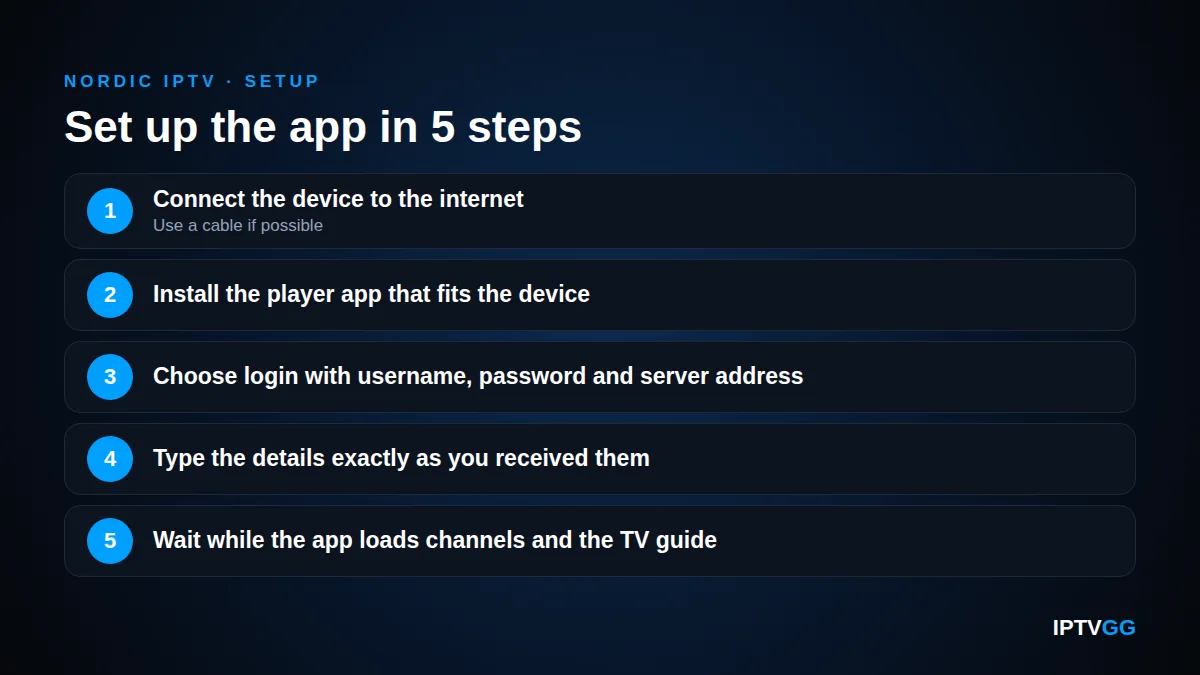
Setting up Nordic IPTV is almost the same on every device.
- Connect the device to the internet, with a cable if possible.
- Install the player app that fits the device.
- Choose the login method with username, password and server address.
- Type the details exactly as you received them. Capital and small letters are different.
- Wait while the app loads channels and the TV guide.
| Device | App | Practical tip | Full guide |
|---|---|---|---|
| Samsung or LG Smart TV | IPTV Smarters Pro | Update the TV software first | Smart TV setup |
| Amazon Firestick | IPTV Smarters Pro | The stick uses Wi-Fi, so use the 5 GHz band | Firestick setup |
| Android TV box or phone | XCIPTV | Use the network cable port if the box has one | XCIPTV on Android |
| iPhone, iPad or Apple TV | IPTV Smarters | Handy for travel and for a second screen | Apple setup |
| MAG box | Built-in portal | Support needs the MAC address printed on the box | MAG box setup |
Windows users can follow the Windows guide. All guides are collected on the installation page.
Nordic IPTV at the hytte and on mobile broadband
The cabin is where IPTV in Norway most often meets its limits, because broadband at holiday homes is weaker than in ordinary homes. The Nkom report on holiday home coverage says that 89.8 percent of holiday homes had access to fixed broadband at the end of 2025. Only 30.6 percent had fibre coverage, and 68.4 percent could get at least 100 Mbit/s.
Many cabins therefore use a 4G or 5G router. Nordic IPTV works well in HD on such a router if you plan for two things: signal and data.
Signal
- Place the router high and close to a window that faces the nearest mast.
- Ask your mobile operator about an external antenna if the signal is weak indoors.
- Run a speed test on a Friday or Saturday evening, when the cabin area is full.
Data
Video uses a lot of data. One large streaming service states in its official data usage guidance that HD video can use up to 3 GB per hour and 4K up to 7 GB per hour. Expect similar numbers for live TV. Ten hours of HD over a weekend is then up to 30 GB. Check whether your mobile broadband has a data limit, or a lower speed after a certain amount.
Choose HD instead of 4K at the cabin. It uses less than half the data.
Can you watch TV from home when you live abroad?
Many readers have moved abroad and want television in their own language. Nordic IPTV has a practical advantage here. It does not depend on a dish pointed at a certain satellite or on a local cable network. You need the same three things as at home: a stable line, a device and a login.
Some points are different abroad:
- Time zone. Norway uses Central European Time. In another time zone the TV guide can show shifted times. Most player apps have an EPG time shift setting that corrects this.
- Shared networks. Hotel and guest Wi-Fi are often slow in the evening. Test on the network you will really use.
- Channel choice. Do the trial from the country where you live, and check the channels you want there.
- Rules. Rights to TV content can differ between countries. Read the legal section below and the terms of the service.
7 common problems and easy fixes
Most Nordic IPTV faults have a simple cause. Find your symptom in the table and try the fix before you change anything else.
| Problem | Likely cause | Fix |
|---|---|---|
| Buffering on all channels in the evening | Weak Wi-Fi or a busy home network | Use a cable or 5 GHz Wi-Fi and pause large downloads |
| Buffering on one channel only | A problem with that stream | Try another version of the channel and tell support |
| TV guide is empty | The EPG has not loaded yet | Refresh the EPG in the app settings and wait a minute |
| Programme times are wrong | Time zone difference | Adjust the EPG time shift in the app |
| Login is rejected | Typing error or an extra space | Type the details again and check capital letters |
| App is slow or freezes | Old app version or full memory | Update the app and restart the device |
| Picture stops at the cabin after some days | Mobile data limit reached | Check your data use and switch to HD |
Find out where the buffering starts
If every Nordic IPTV channel stops, the cause is almost always between your router and your TV. Connect a cable for one evening as a test. If the buffering disappears, your Wi-Fi was the cause. No service can repair a weak signal inside your home.
When to contact support
Write to support if the fixes above do not help. Say which device, app and channel has the problem, and when it happened. You reach IPTVGG on WhatsApp at +212 601 675807 or at support@iptvgg.com. More answers are in the FAQ.
Is Nordic IPTV legal in Norway?
IPTV is a way to deliver television, like cable or satellite. Questions about legality are about the content and the rights to it. Copyright in Norway is regulated by the Copyright Act (åndsverkloven), as the Ministry of Culture and Equality explains on its copyright pages.
This Nordic IPTV guide is practical and does not give legal advice. A separate article answers the question is IPTV legal in more detail. Read it, and read the terms of any service, before you take an IPTV subscription. If a specific channel or event is important to you, ask the provider about it directly.
Nordic IPTV: frequently asked questions
What internet speed do I need for Nordic IPTV?
Plan for about 15 Mbps for each HD stream and 25 Mbps for each 4K stream. Add the numbers together if several screens are in use at the same time. Measure the speed on the TV itself, because Wi-Fi often loses speed on the way.
Which device is best for IPTV in Norway?
There is no single best device. A recent Samsung or LG Smart TV works without extra hardware. A Firestick or an Android TV box is a low-cost upgrade for an older TV and is easy to take to the cabin.
Can I use the same subscription at home and at the hytte?
The login is not tied to a dish or a cable socket, so you can use it on another stable internet connection. What matters is the number of devices in your plan. If the cabin TV is an extra screen, count it when you choose a Nordic IPTV plan.
Does Nordic IPTV work on 4G or 5G mobile broadband?
Yes, if the signal is stable and you have enough data. HD video can use up to 3 GB per hour, so a mobile plan with a low data limit runs out fast. Place the router near a window, choose HD instead of 4K, and test in the evening.
Which channels are included?
IPTVGG has live channels and movies and series, with quality up to 4K. We do not name single channels here because line-ups change. Check the channel list on the website and use the free 24-hour trial to confirm the channels you want.
How do I try IPTVGG before I pay?
Ask for the free trial on the trial page. It lasts 24 hours and you do not need a payment card. The trial login is sent on WhatsApp. Install a player app, enter the login and test in the evening.
Next step: test it on your own screen
You now know what Nordic IPTV is, what it needs and how to solve the usual problems. The best next step is a real test at home, at the cabin or abroad. Request the free 24-hour trial, follow the setup guide for your device, and watch in the evening. If Nordic IPTV works well on your line, choose the number of devices and the length on the plans page, from €12.99.