
IPTV Provider Norway: 8 Checks to Find the Best (2026)
Searching for “IPTV provider Norway” turns up dozens of sites that look almost the same: big channel numbers, “4K” everywhere, and a WhatsApp button. The difference between a service you keep for a year and one you cancel after a week is rarely on the sales page. It shows up on your own TV, on a Saturday evening, when everyone is watching at once.
This guide gives you a short checklist you can use on any IPTV provider in Norway, including us. Run through it before you pay, and you will avoid most of the problems people complain about later.
Foretrekker du norsk? Les IPTV i Norge og IPTV-pris i Norge.
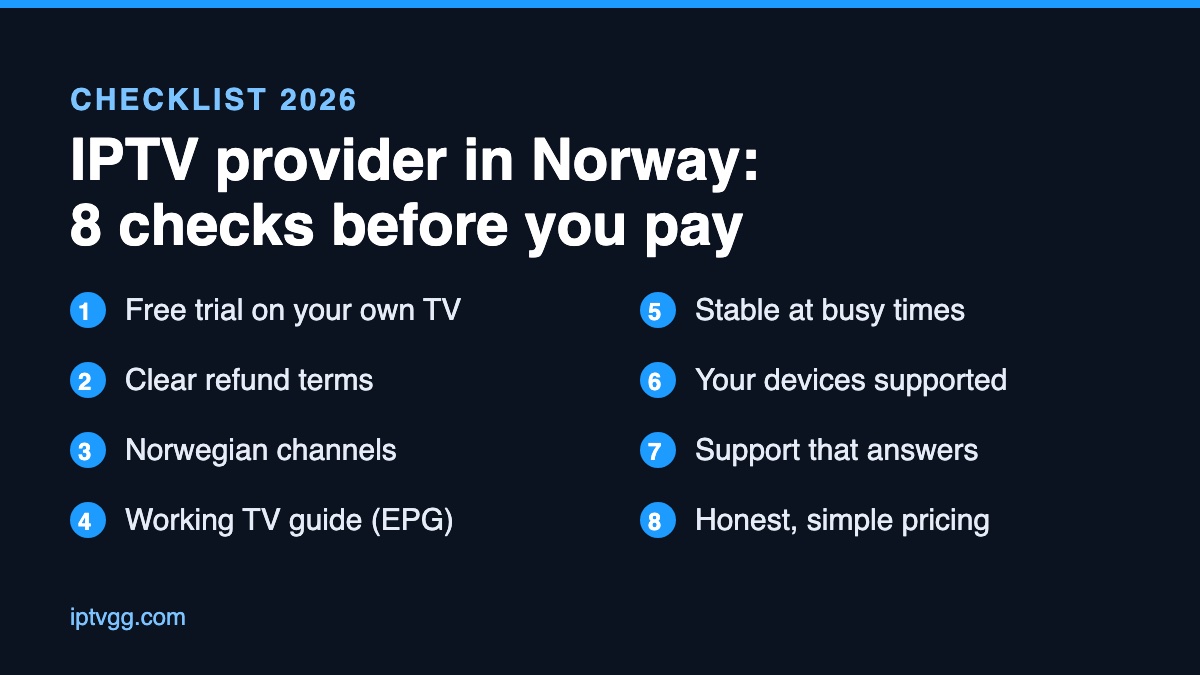
Table of Contents
Key takeaways
- Never pay before you have tested the service on your own TV and your own internet connection.
- Check the Norwegian channels and the TV guide (EPG) yourself, not just the total channel count.
- Read the refund policy before you buy, and make sure support answers in a reasonable time.
- Pick the number of devices you really need: that, not the channel list, decides the price.
What an IPTV provider actually does
An IPTV provider sends live TV channels, movies and series to you over the internet instead of through a satellite dish or a cable box. You get a login (an M3U link, Xtream Codes details or a MAC-based portal), put it into an app on your Smart TV, Firestick, Android box, MAG box, phone or computer, and watch. If these terms are new, our guides on Xtream Codes and M3U playlists explain them in plain language.
Because the stream comes from the provider’s servers, the quality you see depends on two things: how good those servers are, and how good your own connection is. Norway’s fiber and 5G networks are among the best in Europe, so in most homes the provider is the deciding factor.
IPTV provider Norway checklist: 8 checks before you choose
1. A free trial on your own TV
A trial is the only honest way to judge an IPTV service. Test it in the evening, when servers are busiest, and on the TV and app you will really use. Watch a live football match or a busy news channel for at least 20 minutes. If the provider will not give a trial, or asks for card details first, that tells you something.
2. Clear refund terms, in writing
Look for a refund policy page before you pay, not after. It should say how long you have to ask and how to ask. “Contact us” with no time limit and no process is not a policy.
3. The Norwegian channels you actually watch
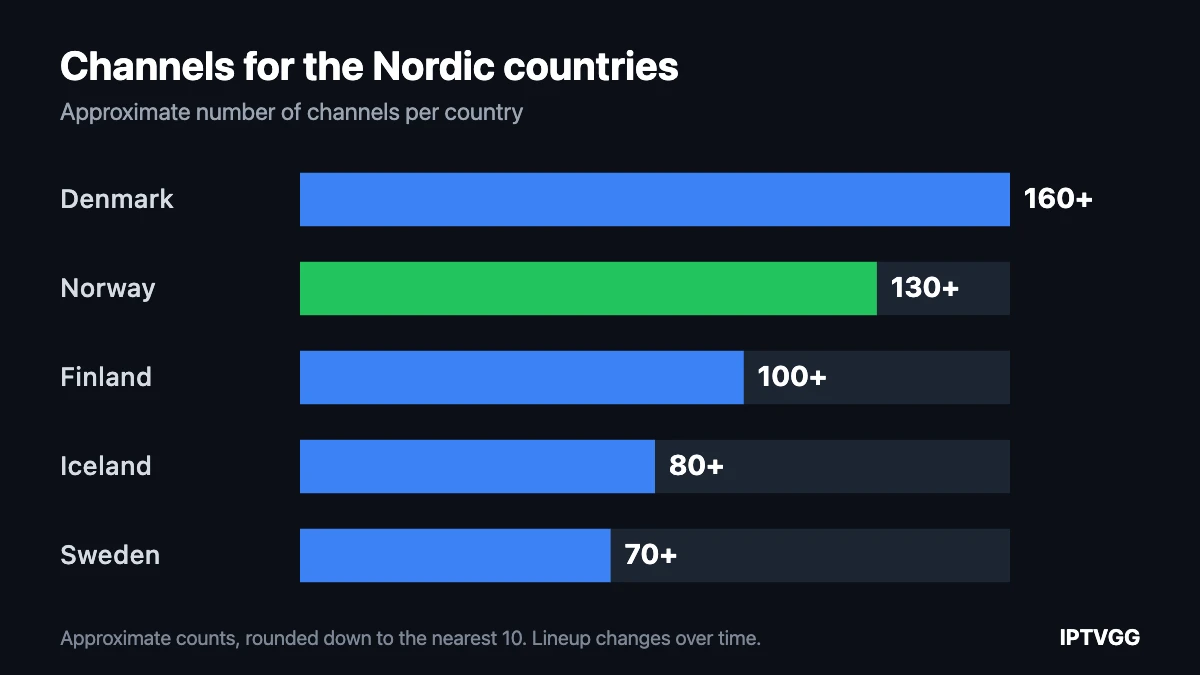
A list of 40,000 channels means little if the ones you care about are missing or mislabelled. During the trial, open the Norwegian group and check the channels you watch every week, plus the sports and Nordic channels you follow. Then check that they work, not just that they appear in the list.
4. A working TV guide (EPG)
The EPG shows what is on now and next. Without it, IPTV feels like flipping through channels blind. Check that the guide fills in for Norwegian channels and that the times match Norwegian time. If it is empty, our guide on fixing a missing EPG covers the usual causes.
5. Stable streams at busy times
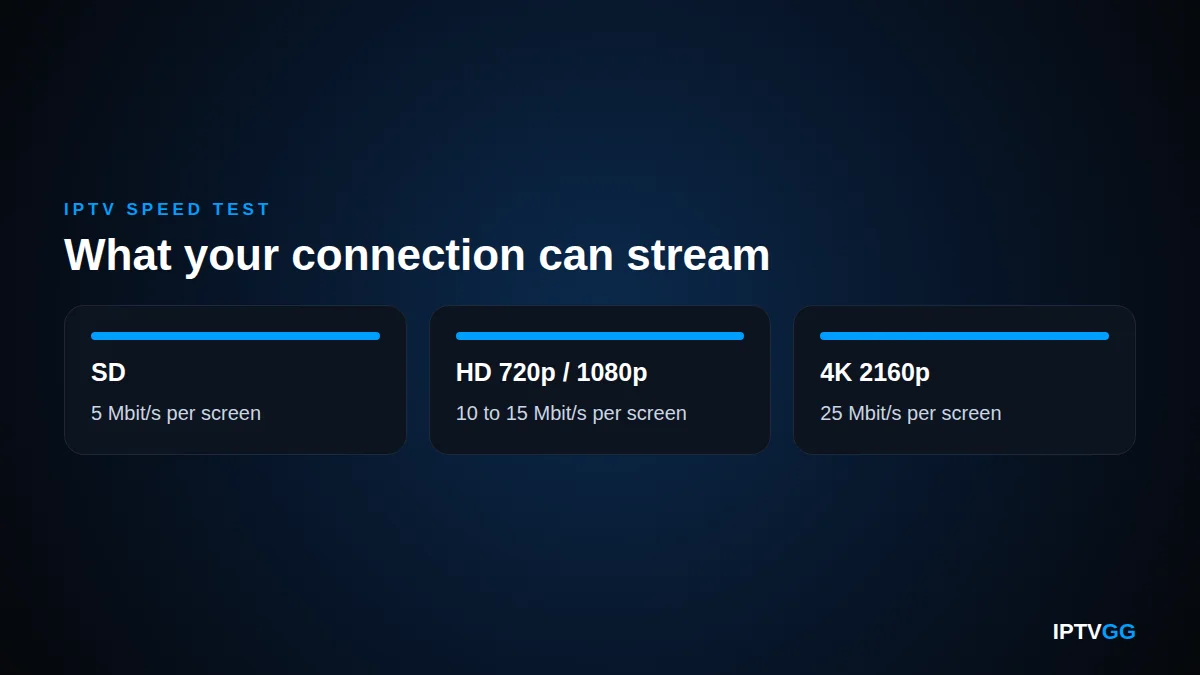
Buffering during a big match is the most common complaint about IPTV. Before blaming the provider, check your own line: a stable 15 Mbit/s is enough for HD and about 25 Mbit/s for 4K on one screen. Our free IPTV speed test measures the speed between your device and our servers in about ten seconds. For an independent measurement of your line, use Nkom’s Nettfart, the official Norwegian speed test. If your speed is fine and the picture still freezes, the problem is on the provider’s side. More detail is in IPTV internet speed in Norway and hva du gjør når IPTV hakker.
6. Support for your devices
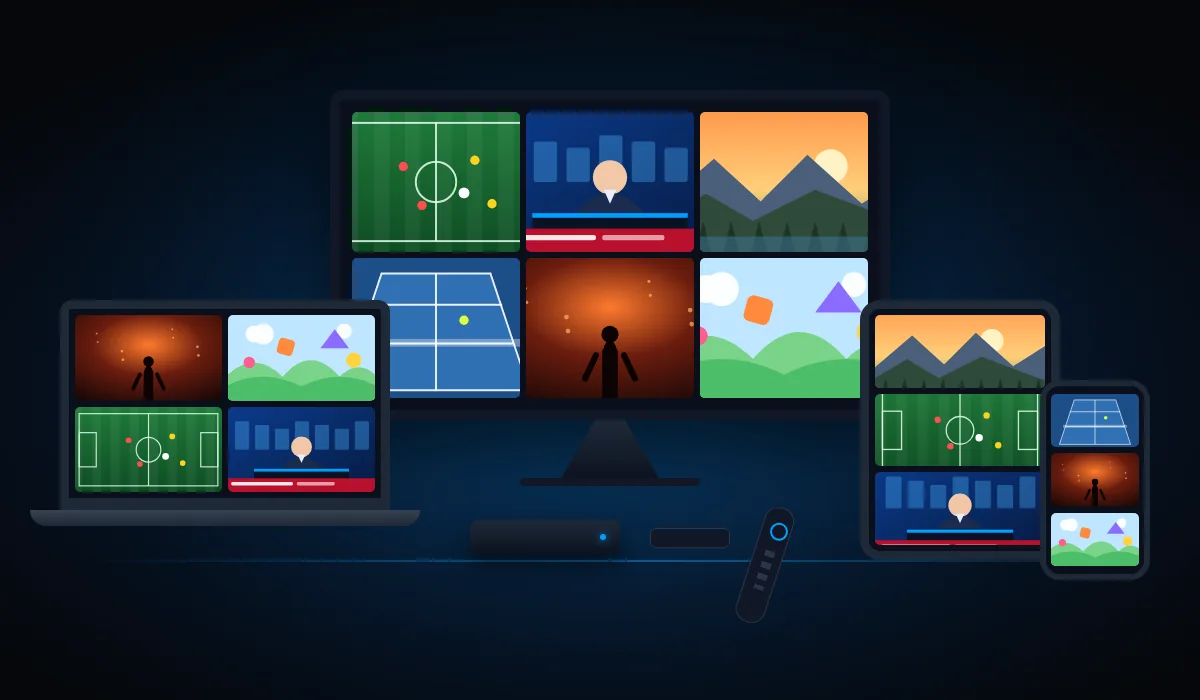
Ask which apps the provider supports and whether they have setup guides for your device. A good provider can tell you exactly what to install on a Samsung or LG TV, a Firestick, an Android box or an iPhone. See our guides for Samsung TV, Firestick and other devices.
7. Support that answers
Send a question before you buy and note how long the answer takes. Most IPTV support runs on WhatsApp or email. If a simple pre-sales question takes a day, a problem on a Friday night will take longer.
8. Honest, simple pricing
Prices should be visible on the site, with the number of devices and the length of the plan clearly stated. Be careful with very cheap yearly offers, and with plans that renew automatically without telling you. A one-time payment with no contract is the simplest setup.
How to run a proper 24-hour trial
A trial only helps if you use it well. Most people install the app, flick through a few channels for five minutes and decide. That tells you very little. Here is a simple plan that fits into one day:
- Morning: set up the device you will really use. Install the app on your main TV, not on a phone. Follow the provider’s guide and note how long setup takes and whether you needed help.
- Midday: check your line. Run a speed test on the same network and, if you can, on the same device. Write the number down so you can compare later.
- Afternoon: go through your channels. Open the Norwegian group and the sports channels you follow. Check that the TV guide shows the right programme at the right time.
- Evening: test at peak time. Between 19:00 and 22:00 is when servers are under the most load. Watch a live match or a news channel for at least 20 minutes, and switch channels a few times to see how fast they load.
- Any time: send support a question. Ask something simple and see how quickly and how clearly they answer.
If the service passes all five steps, you have a much better picture than any review site can give you.
Questions to ask before you buy
Send these to the provider before paying. Clear, quick answers are a good sign. Vague answers, or none, are a warning.
- Which app do you recommend for my TV or box, and do you have a setup guide for it?
- How many devices can watch at the same time on the plan I want?
- Does the plan renew automatically, and how do I stop it?
- How do I ask for a refund, and how long do I have?
- What should I do if a channel stops working during a match?
Red flags to watch for
- No trial, or a trial that needs a credit card.
- No refund policy page, or one with no time limit or process.
- Reviews that only exist as screenshots on the provider’s own site.
- “Lifetime” subscriptions for a single small payment.
- No way to reach a person before you pay.
How IPTVGG measures up
We wrote this checklist so you can hold us to it. Here is where we stand on each point:
| Check | IPTVGG |
|---|---|
| Free trial | 24 hours, full access, no credit card, no auto-renew |
| Refund terms | Refund on request within 24 hours of activation (refund policy) |
| Content | Live channels, movies and series (channel list) |
| Quality | Up to 4K |
| Devices | Smart TV, Firestick, Android, MAG, iPhone, Apple TV, Windows (setup guides) |
| Support | 24/7 on WhatsApp |
| Pricing | One-time payment, no contract, from €12.99 per month for 1 device |
What an IPTV subscription costs in Norway
With IPTVGG, every plan includes the same channels and features. You only choose how many screens can watch at the same time and how long the plan lasts:
| Plan | 1 device | 2 devices | 3 devices | 4 devices |
|---|---|---|---|---|
| 1 month | €12.99 | €19.99 | €27.99 | €34.99 |
| 3 months | €29.99 | €44.99 | €64.99 | €79.99 |
| 6 months | €39.99 | €59.99 | €86.99 | €106.99 |
| 12 months | €59.99 | €89.99 | €129.99 | €159.99 |
Prices as listed on our plans page at the time of writing. For a comparison in Norwegian kroner, see IPTV-pris i Norge.
Is IPTV legal in Norway?
IPTV as a technology is legal: it is simply TV delivered over the internet, and Norwegian broadcasters use it themselves. What matters is whether the provider has the rights to the content it streams. We cover this in more detail in Is IPTV legal?
Frequently asked questions
How do I test an IPTV provider in Norway before paying?
Ask for a free trial and use it on the TV and internet connection you will really use, preferably in the evening. At IPTVGG the free trial lasts 24 hours and needs no credit card.
What internet speed do I need for IPTV in Norway?
Around 15 Mbit/s for HD and 25 Mbit/s for 4K per screen, on a stable connection. Use our speed test to check yours.
Can I watch on more than one TV?
Yes, if your plan includes more than one device. IPTVGG plans cover 1 to 4 devices watching at the same time.
Which devices work with IPTV?
Most Smart TVs (Samsung, LG, Android TV), Amazon Firestick, Android boxes, MAG boxes, iPhone, iPad, Apple TV and computers. You install an IPTV app and enter the login details from your provider.
Try it on your own TV first
Whichever IPTV provider Norway households end up choosing, the best test is the one you run yourself, on your own TV. Start a 24-hour free trial: no card, no auto-renew, full access. If it works for you, pick a plan on our plans page.