
Buy IPTV Subscription: 7 Easy Steps to Order Safely (2026)
Before you buy IPTV subscription access from any website, it pays to know exactly what you are ordering, how the login reaches you and what happens if it does not work on your TV. This guide walks through the full order in seven steps, using real prices, so you can buy IPTV subscription plans with confidence and avoid the mistakes that cost people money.
Table of Contents
Key takeaways
- The safest way to buy IPTV subscription access is to test first, then start with a short plan, then move to a longer one.
- Decide two things before you pay: how many screens watch at the same time, and how long you want the plan to run.
- At IPTVGG, plans run from €12.99 for one month on one device to €159.99 for twelve months on four devices.
- Check the refund policy before you pay. At IPTVGG, you can ask for a refund within 24 hours of activation.
- Keep your order number, the email you used and the WhatsApp number you used. Support needs them to find your order.
What you get when you buy IPTV subscription access
An IPTV subscription is a time-limited login. You do not receive a box or a disc. After your order, the seller sends you login details, and you type those into an app on your TV, stick, box, phone or PC. The app then loads the channel list and TV guide over your internet connection.
When you buy IPTV subscription access from IPTVGG, a plan includes live channels, a film and series library, a TV guide, catch-up on many channels and picture quality up to 4K where the channel and your line allow it. The plan length and the number of devices are the only things that change the price.
If the technology itself is new to you, the Wikipedia article on Internet Protocol television gives a good overview, and our IPTV FAQ answers the most common beginner questions.
Before you buy IPTV subscription access: what to prepare
A few minutes of preparation saves most of the problems people have after ordering. Have these ready:
| What to prepare | Why it matters | How to check |
|---|---|---|
| Your device model | The login type and app depend on it | Look in the TV’s settings or on the box |
| Your internet speed | HD needs about 10 to 15 Mbps per screen, 4K about 25 Mbps | Run our IPTV speed test in the evening |
| Number of screens | Plans count screens that watch at the same time | Think of your busiest evening |
| Your channel list | Only the channels you watch really matter | Write down your top ten |
| A WhatsApp number | IPTVGG sends login details and setup help there | Use a number you check often |
How to buy IPTV subscription access in 7 steps
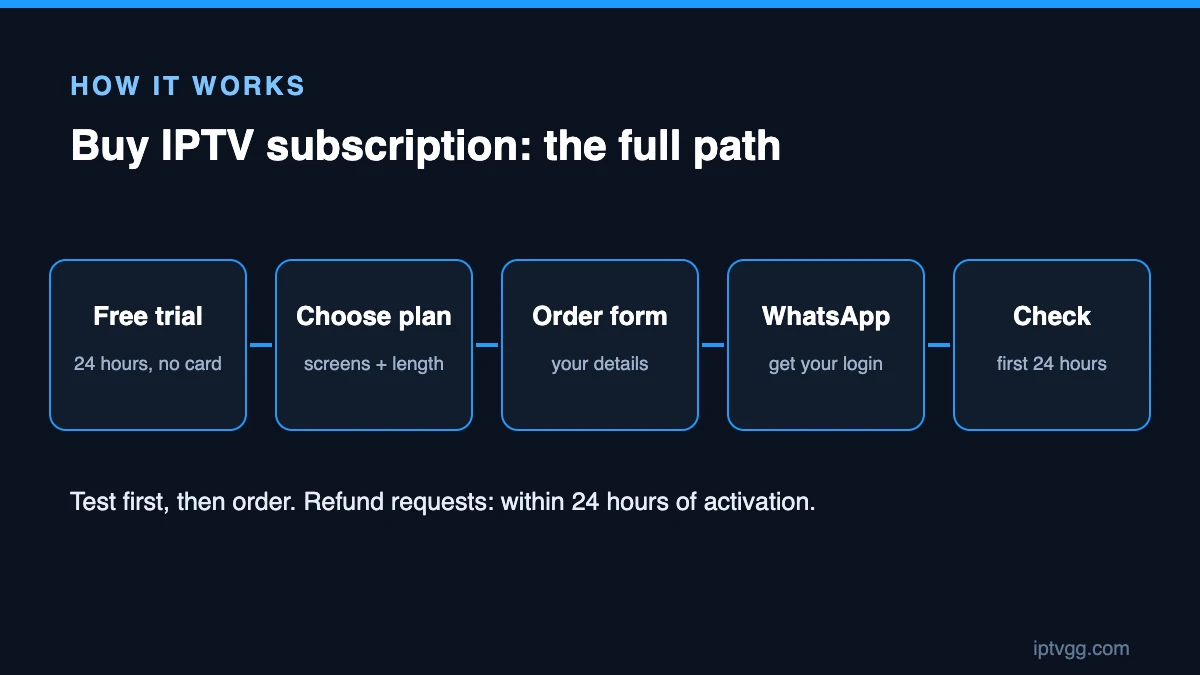
Step 1: Test the service first
Never buy IPTV subscription time you have not tested. Start with the 24-hour free trial: it costs nothing, asks for no card and opens the same channels and quality as a paid plan. Watch between 19:00 and 23:00, when networks are busiest.
Step 2: Choose the number of devices
Count the screens that watch at once, not the devices you own. A home with three TVs where only two are ever on together needs a two-device plan. Our guide to IPTV on multiple devices explains how screens are counted.
Step 3: Choose the plan length
Longer plans cost less per month. Here are the current prices:
| Plan length | 1 device | 2 devices | 3 devices | 4 devices |
|---|---|---|---|---|
| 1 month | €12.99 | €19.99 | €27.99 | €34.99 |
| 3 months | €29.99 | €44.99 | €64.99 | €79.99 |
| 6 months | €39.99 | €59.99 | €86.99 | €106.99 |
| 12 months | €59.99 | €89.99 | €129.99 | €159.99 |
If you are unsure, start with one month. Once you know the service suits you, a 12 month IPTV subscription is the cheapest option per month.
Step 4: Add the plan to your order
Open the IPTV plans page, pick the plan length and the number of devices and click to order. Check that the plan in your basket matches what you chose before you continue.
Step 5: Fill in your details
The order form asks for your name, country, email, WhatsApp number and device. Type the WhatsApp number and email carefully, because that is where your order confirmation and login details go.
Step 6: Confirm with support on WhatsApp
After the order, tap the WhatsApp button on the confirmation page. Support confirms your order, explains how to pay and sends your login. If you do not use WhatsApp, write to support@iptvgg.com instead.
Step 7: Log in and check everything
Install the app for your device, enter your login and wait a few minutes for the channels and TV guide to load. Setup guides: Firestick, Smart TV, MAG box, Apple devices and Windows. Then check your top ten channels straight away, while you can still ask for help or a refund.
Which plan should you buy?
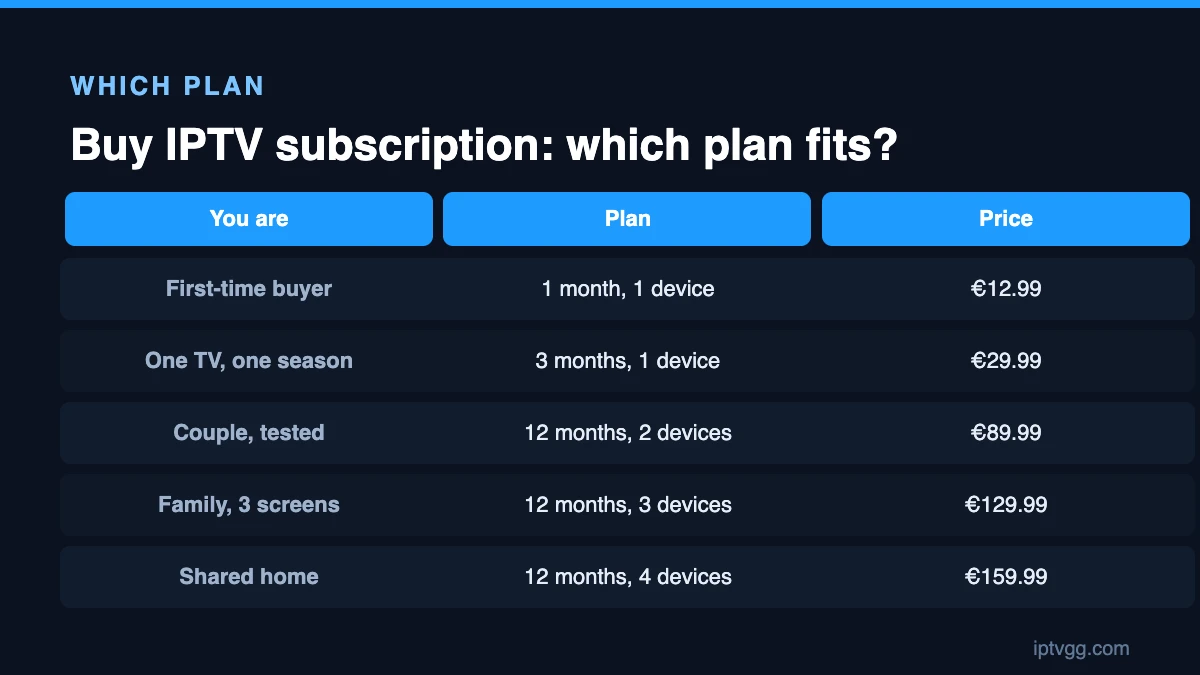
These examples show what most households choose when they buy IPTV subscription plans:
| Your situation | Plan | Price |
|---|---|---|
| Trying paid IPTV for the first time | 1 month, 1 device | €12.99 |
| One TV, watching a full season | 3 months, 1 device | €29.99 |
| Couple, two screens, already tested | 12 months, 2 devices | €89.99 |
| Family, three screens at once | 12 months, 3 devices | €129.99 |
| Shared home, four screens | 12 months, 4 devices | €159.99 |
The one-device, twelve-month plan works out at about €5.00 a month, against €12.99 on the one-month plan.
How payment works and what to keep
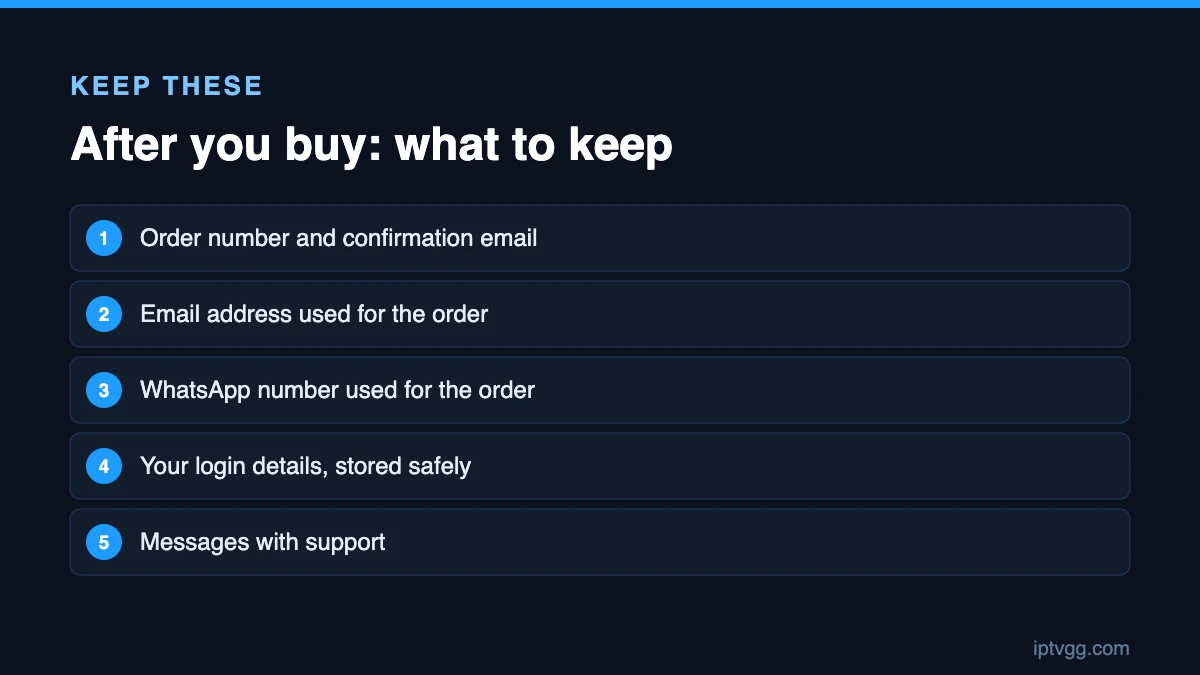
Before you buy IPTV subscription time from anyone, ask how the payment works and what proof you get. Then keep these for the length of your plan:
- Your order number and order confirmation email.
- The email address and WhatsApp number used for the order.
- Your login details, stored somewhere safe.
- Any messages with support about your order.
IPTVGG plans are one-time payments per plan. There is no contract and nothing renews on its own, so you decide again when the plan ends.
Refunds: read this before you pay
A refund policy tells you what happens if the service does not work for you. Read it before you buy IPTV subscription access, not after. At IPTVGG, you can ask for a refund within 24 hours of activation. Send your order number, your email and your WhatsApp number to support. The full text is on our refund policy page.
That 24-hour window is why you should test right after activation. Install the app, check your channels and watch for a while on the first day.
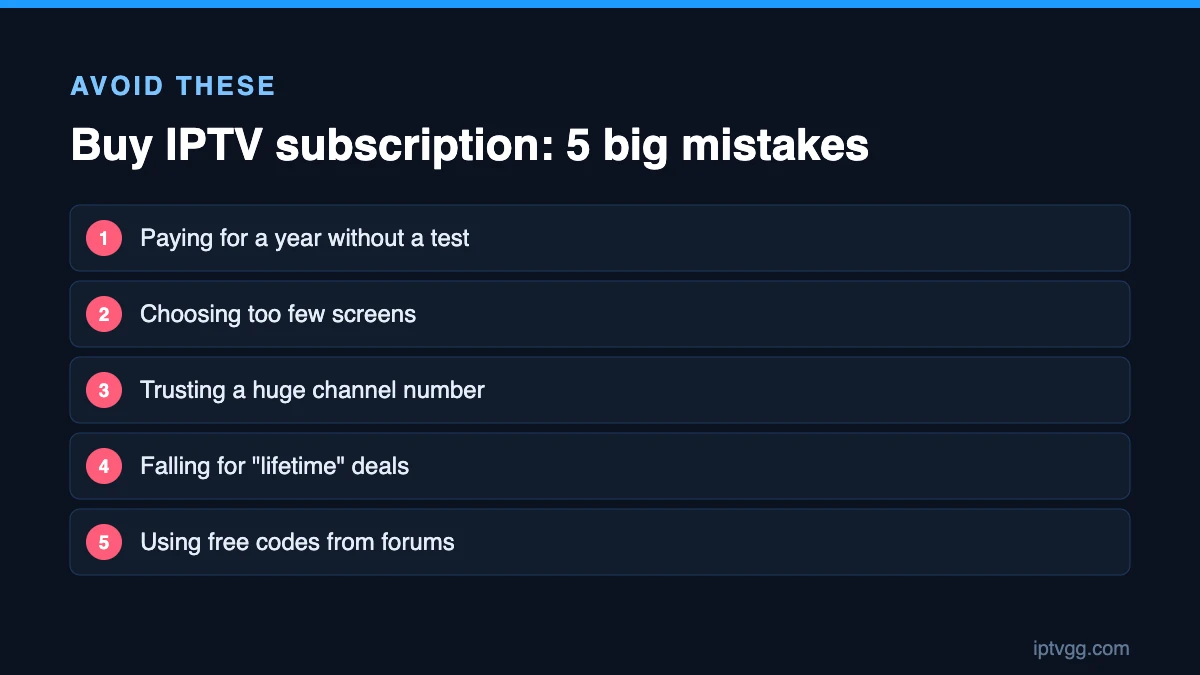
7 mistakes to avoid when you buy IPTV subscription plans
- Paying for a year without a test. The saving is worthless if the picture freezes every evening on your line.
- Choosing too few screens. The second TV will show a connection error whenever the first one is watching.
- Trusting a huge channel number. Check the ten channels you watch, including the country version you need.
- Falling for lifetime deals. A one-off payment cannot pay for servers and support forever. Read the warning signs in our guide to cheap IPTV.
- Using free codes from forums. They are usually someone else’s account, and they stop without warning.
- Typing the wrong WhatsApp number. Your login goes there, so a typo delays everything.
- Testing only on your phone. Test on the screen you will really use, on the same network.
How to compare sellers before you order
If you are still deciding where to buy IPTV subscription access, compare sellers on the same points rather than on their banners:
- Is there a free trial, and does it need a card?
- Is every price shown per plan and per device?
- Is there a written refund policy?
- Can you contact a real person before you pay?
- Is the renewal automatic or your own choice?
Our IPTV provider checklist turns those questions into ten checks you can run in one evening.
What happens after you buy
| When | What happens | What you should do |
|---|---|---|
| Right after ordering | Confirmation page and email | Tap the WhatsApp button |
| Within your chat with support | Login details and setup help | Save them somewhere safe |
| First hour | Channels and TV guide load | Check your top ten channels |
| First evening | Peak-hour viewing | Watch live TV at 20:00 to 22:00 |
| First 24 hours | Refund window is open | Report any problem to support now |
| End of the plan | Your access ends unless you order again | Choose your next plan |
Getting the best start after you buy
Once your login works, a little setup makes daily use much easier:
- Save favourites. Most apps let you mark channels so you do not scroll through long lists.
- Check the TV guide. If it is empty, refresh it in the app and wait a few minutes. Our IPTV channel guide article explains how it works.
- Use a cable if you can. An Ethernet cable to the main TV removes the most common cause of buffering.
- Note the end date. Add a reminder a week before your plan ends.
Who should not buy IPTV subscription access yet
IPTV is not the right choice for every home today. Wait if:
- Your internet is below about 15 Mbps in the evening, or drops often.
- You watch only one or two channels that free broadcast already gives you.
- You cannot test on your main TV yet, for example because you are moving house next week.
In those cases, fix the connection first or wait until you can test properly. There is no reason to rush.
Buy IPTV subscription access for yourself or as a gift?
You can also buy IPTV subscription time for a parent, a friend abroad or a relative who misses TV from home. It works well as a gift, as long as you plan for setup:
- Ask which TV or device they own, and find the model number.
- Run a speed test on their line, or ask someone nearby to do it.
- Use their WhatsApp number or yours, so you know who receives the login.
- Set up favourites for them, and write down how to reach support.
- Start with the free trial on their TV, so you know it works before you pay.
Questions to ask before you pay
Send these before you buy IPTV subscription access anywhere. A good seller answers each one clearly:
- Does this plan work on my exact device, and which app should I use?
- How many screens can watch at the same time?
- Are these five channels included, in the country version I need?
- Is the payment one-time, or does it renew?
- What is your refund policy, and where is it written?
- How do I reach support on an evening or at the weekend?
If you get vague answers such as “everything works”, keep looking. If you get clear ones, you are probably in the right place to buy IPTV subscription access.
Frequently asked questions
Where can I buy an IPTV subscription?
Buy from a seller that offers a free trial, clear prices and a written refund policy. You can order from IPTVGG on our plans page, and start with a 24-hour free trial if you want to test first.
How long does it take to get my login after I buy?
Support sends your login in your WhatsApp chat after confirming your order. Message them right after ordering, and have your order number ready.
Can I buy an IPTV subscription without a credit card?
The IPTVGG free trial needs no card at all. For paid plans, support confirms how to pay when you confirm your order on WhatsApp.
Can I change my plan after I buy?
Yes. Contact support if you need more devices or a different length. Choosing the right number of screens at the start is usually cheaper.
What if the service does not work on my TV?
Contact support first, because most problems are a wrong app or a typing error in the login. If it still does not work, you can ask for a refund within 24 hours of activation.
Does my subscription renew automatically?
No. IPTVGG plans are one-time payments, so nothing renews on its own. You choose whether to order again when the plan ends.
Do I need new equipment?
Usually not. Most Smart TVs can run an IPTV app. An older TV with an HDMI port can use a small streaming stick.
Conclusion
The smart way to buy IPTV subscription access is simple: test for free, choose your screens, start short if you are unsure, keep your order details and check everything in the first 24 hours. When you are ready, start the free trial or go straight to the plans page.