

IPTV MAC Address: How to Find, Send and Activate It
An IPTV MAC address is the hardware code that a portal-based IPTV service uses instead of a username and password. Your provider adds your IPTV MAC address to its portal, and from then on your device can open it. To get started, find the MAC on your device, send it only to your own provider, then enter the portal URL they give you.
Key takeaways
- A portal (Stalker or Ministra style) checks your device’s MAC address, not a password.
- Infomir MAG devices and the StbEmu app use an IPTV MAC address that starts with 00:1A:79.
- On MAG hardware the MAC is on the sticker under the box and in the Device info menu.
- A new device, or a new emulator profile, usually means a new IPTV MAC address that must be activated again.
- Never use free MAC lists or shared codes from the internet. Only use your own subscription or trial.
What is an IPTV MAC address?
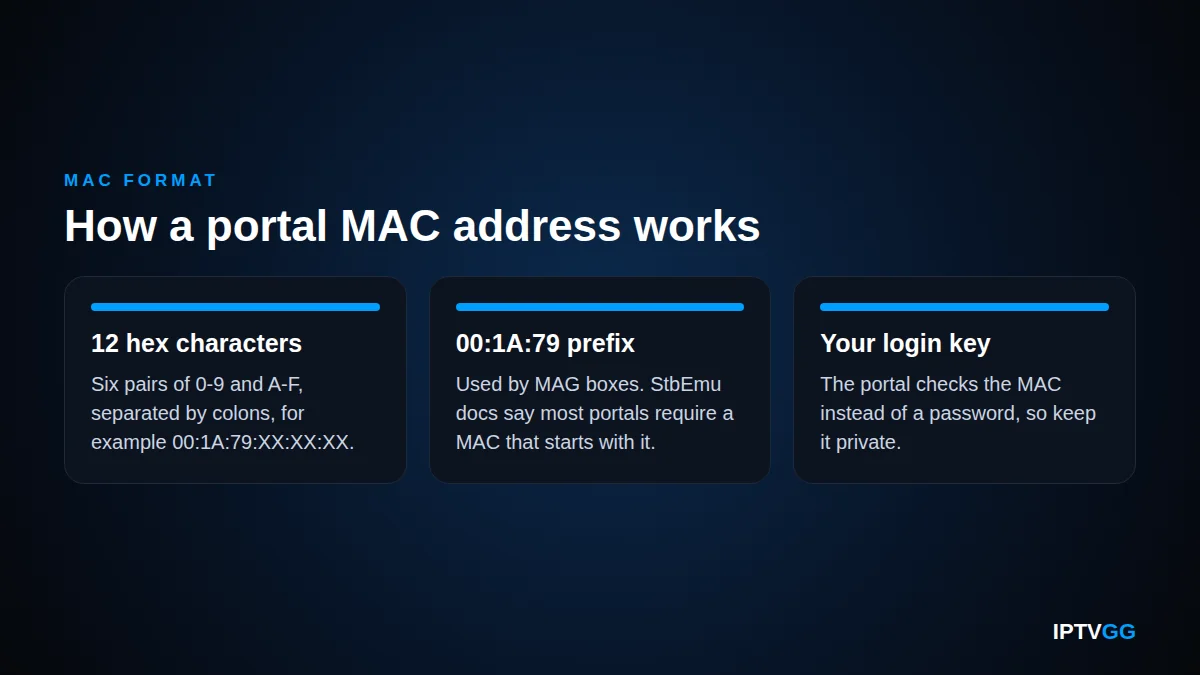
Every network device has a MAC address. It is a hardware ID made of 12 characters (numbers 0-9 and letters A-F), usually written in six pairs with colons, for example 00:1A:79:XX:XX:XX. It is set by the maker and is different for each device.
In IPTV, the term “IPTV MAC address” means this code when it is used as your login. Most IPTV apps, such as IPTV Smarters Pro or XCIPTV, use a username, password and server URL. Portal-based systems work in another way. The device sends its MAC address to the portal, and the portal checks if that address is on the provider’s list.
So the IPTV MAC address is both your device ID and your account key. If the address is on the list, the portal loads your channels. If it is not, you see an error or an empty screen. This is why you should keep it private, just like a password.
Not every device is identified by its MAC address. Apps log in with a server, a username and a password instead: see our Xtream Codes guide.
Why do portal-based IPTV services use the MAC?
Portal systems were built for set-top boxes like the Infomir MAG range. A box like this has no keyboard, so typing a long password with the remote is slow. The MAC address is already inside the box, so the box can identify itself without any typing.
The provider links your IPTV MAC address to your plan on the server side. This lets support change your package, renew it or move it, without you entering new login details. You only type one thing yourself: the portal URL. Our guide to the IPTV portal URL and how it works explains that part in more detail.
What does the 00:1A:79 prefix mean?
The first half of a MAC address shows who made the device. The block 00:1A:79 is registered to Telecommunication Technologies Ltd. in Odessa, Ukraine, according to the MAC vendor lookup for 00:1A:79. Infomir MAG devices use this prefix, and the StbEmu documentation says that most portals require the MAC address to start from 00:1A:79.
That is why an emulator app also shows an IPTV MAC address starting with 00:1A:79, even on a phone or TV box that has a different real MAC. The app copies the MAG format so that the portal accepts it.
How do I find my IPTV MAC address?
Where you look depends on your device. The table gives a quick overview, and the sections below explain each case.
| Device | Where to find the MAC | Starts with |
|---|---|---|
| MAG box | Sticker under or on the back of the box, or Settings, System settings, Device info | 00:1A:79 |
| StbEmu app (Android, Android TV) | Settings, Profiles, your profile, STB configuration, MAC address | 00:1A:79 (most portals require it) |
| Smart TV or other portal app | Usually on the app’s start screen or in its settings or about page | Depends on the app |
On a MAG box
The easiest place is the sticker on the bottom or the back of the box. It shows the MAC address and the serial number. If the sticker is gone or hard to read, use the menu. The official Infomir system settings guide lists the MAC address in the Device info section.
- Turn on the box and press SETUP (or SET) on the remote, or click Settings.
- Open System settings.
- Open Device info. On some firmware this screen is called Status.
- Write down the line called MAC address. This is your IPTV MAC address. Check each pair twice.
In the STB Emulator (StbEmu) app
The STB Emulator app, now listed on Google Play as StbEmu, copies a MAG device on Android phones, tablets and TV boxes. Each profile in the app has its own MAC. According to the StbEmu documentation on the MAC address setting, it sits in the STB configuration part of a profile. For a full walkthrough, see our StbEmu setup guide.
- Open the app. Double tap the screen (or click it with a remote or mouse) so the menu appears.
- Choose Settings, then Profiles, and select the profile you use.
- Open STB configuration.
- Find MAC address and write the value down exactly. This is the IPTV MAC address your provider must activate.
The StbEmu documentation adds one warning. On some Wi-Fi-only devices the app can show 00:1A:79:00:00:00. If you see this, change the last three pairs to other hex values, save, and send the new value to your provider.
On a Smart TV or other device
Some apps for Samsung, LG and Android TV can also load a portal. Their menus are all different, so we cannot list one path for every app. In most cases the IPTV MAC address shows on the first screen when no portal is added yet, or in the app’s settings or about page. If you cannot find it, send our support a photo of the app screen.
Where to find the MAC address in popular IPTV apps
Not every app uses the MAC address in the same way. Some use it to log in to a portal, others only use it to link a playlist on the app maker’s website, and some do not use it at all. This table shows where to look in the apps our customers ask about most.
| App | Where the MAC shows | What it is used for |
|---|---|---|
| MAG box | Sticker under the box, or Settings → System settings → Device info | Portal login |
| StbEmu | Settings → Profiles → your profile → STB configuration → MAC address | Portal login (see our StbEmu setup guide) |
| Smart STB (Samsung, LG) | The app’s settings, under device or portal information | Portal login. The app needs its own licence after its trial |
| OTT Navigator | Settings → Provider, when you add a portal (Stalker) provider | Portal login |
| Smart IPTV (SIPTV) | On the app’s start screen | Linking your playlist on the app’s website, not a portal login |
| IBO Player, Duplex Play and similar players | On the start screen, next to a device key | Linking your playlist on the app’s website |
| SS IPTV | Usually not needed: the app uses a connection code from its settings | Linking an external playlist |
| TiviMate, IPTV Smarters Pro, XCIPTV | Not used for login | These apps log in with Xtream Codes (username, password, server URL) or an M3U link |
App menus change between versions, so the exact path can differ on your device. If you use TiviMate or IPTV Smarters, you do not need a MAC address at all: ask for an Xtream Codes login instead. Our Xtream Codes login guide explains the three values you need.
How do I send my MAC address to the provider?
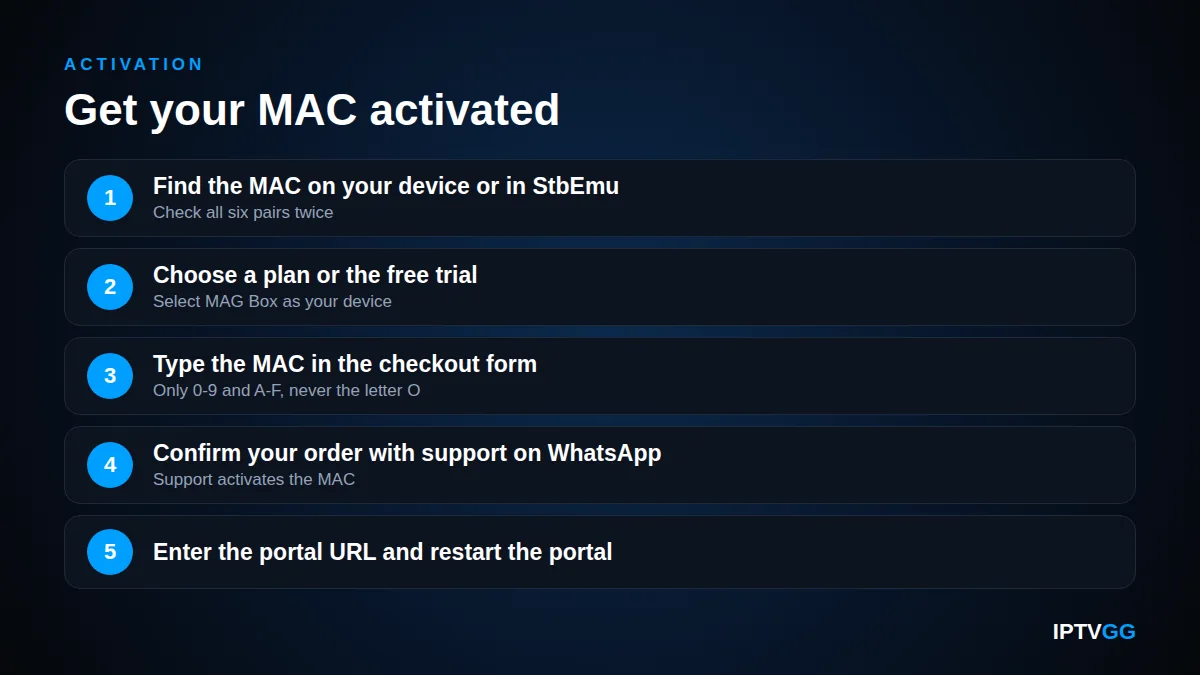
With IPTVGG you share the MAC when you order. Choose a plan or the free trial, select MAG Box as your device, and type the MAC in the checkout form. Support then confirms your order on WhatsApp, activates the address and sends you the portal URL.
If you already have an account, send your order number and your IPTV MAC address to support on WhatsApp (+212 601 675807) or by email to support@iptvgg.com. You can also use the contact us page for MAC activation. Type the code clearly, or better, send a photo of the sticker or screen.
Before you send it, check these common mistakes:
- The letter O and the number 0 look alike. A MAC only uses 0-9 and A-F, so it is always the number 0.
- Send all six pairs, not only the last part.
- For StbEmu, send the MAC from the profile you will use, not from another profile.
How do I enter the portal URL after activation?
Once your IPTV MAC address is active, you only need to type the portal URL. On MAG hardware, go to Settings, System settings, Servers, Portals. Type a name in Portal 1 name and the URL in Portal 1 URL. Press OK, then choose Restart portal. Our step-by-step MAG box setup guide shows every screen.
In StbEmu, open the same profile, go to Portal settings and type the address in Portal URL. The documentation says the URL must start with a scheme such as http:// or https://. Then close the settings and restart the STB Emulator app. For other devices, see our IPTV installation guides for all devices.
Common IPTV MAC address errors and fixes
Most portal problems come from a small number of causes. Check them in this order before you contact support.
MAC not activated or not found
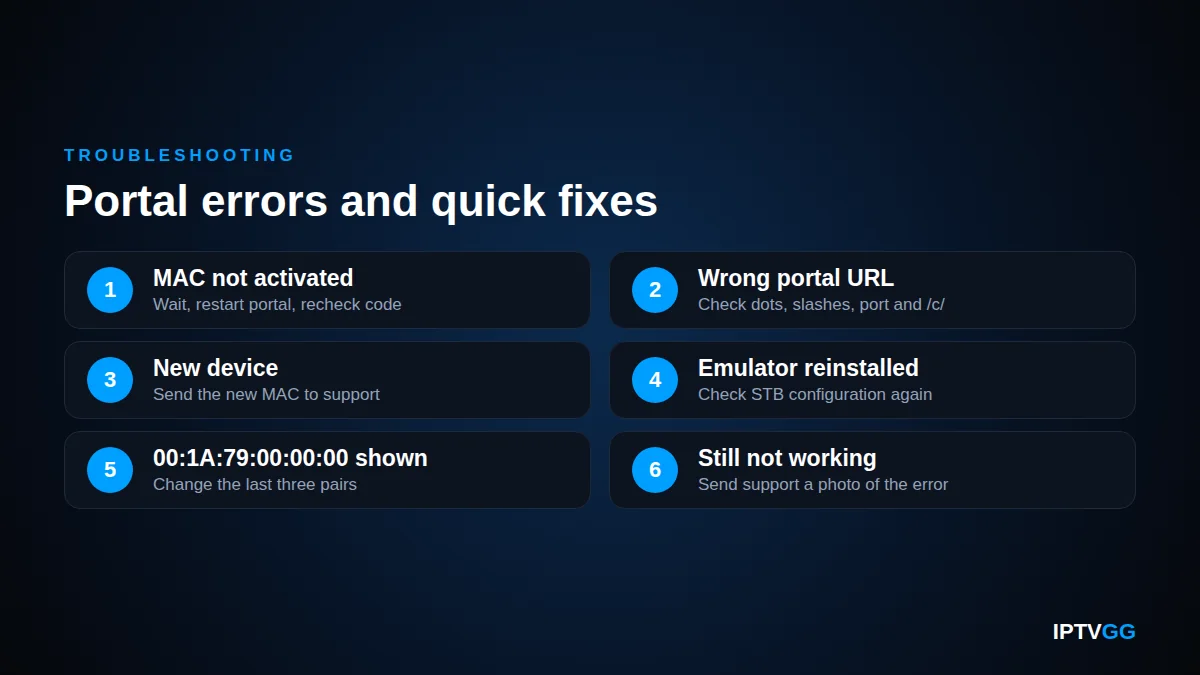
The portal loads but says your device is not allowed, or it stays on a blank page. This means the server does not know your MAC. Wait a few minutes after support confirms activation, then restart the portal. If the error stays, compare the code on your screen with the one you sent. One wrong character is enough to block access.
Wrong portal URL
A typo in the URL gives a “page not found” or loading error. Check every dot, slash and port number, and whether the address should end in /c/. Type it exactly as support sent it.
New device means a new MAC
Your plan is linked to one IPTV MAC address. If you replace your box, or move from a box to StbEmu, the new device has a different MAC. Send the new IPTV MAC address to support so they can move your subscription. The old device will stop working on the portal.
Emulator MAC changed after a reinstall
If you reinstall the STB Emulator app, clear its data or create a new profile, check the MAC in STB configuration again. If it is not the same as before, the portal will not know it. You can type your old activated value back into the MAC address field, or send the new value to support.
If your IPTV MAC address is correct and none of this helps, check your internet speed with our IPTV internet speed guide for Norway, then contact support with a photo of the error.
Is it safe to share your IPTV MAC address?
It is safe to share it with your own provider, because they need it to activate your service. Do not share it anywhere else. Anyone who knows an active IPTV MAC address can try to copy it into an emulator and use your plan. That can block your own access.
You will also find websites that offer “free MAC lists” or shared emulator codes. Do not use them. These codes belong to other people’s paid accounts, so using them is unauthorised. They stop working without warning, they come with no support, and the sites that share them often carry harmful ads or downloads. The safe way is to use your own trial or subscription.
IPTV MAC address FAQ
Can I change the IPTV MAC address on my box?
Do not try. The MAC of a MAG device is set by the maker and is used to identify the device. If your box is replaced, simply send the new MAC to support. They move your plan to the new address, and you enter the same portal URL on the new box.
Does every IPTV app need a MAC address?
No. Only portal-based setups, such as MAG devices and the StbEmu app, use the IPTV MAC address as a login. Apps like IPTV Smarters Pro and XCIPTV use a username, password and server URL instead. Our support sends the right login type for the device you choose at checkout.
What is a device key in an IPTV app?
Some Smart TV player apps show two codes on their start screen: a MAC address (sometimes called a device ID) and a device key. The app creates both codes itself, so they are not the hardware MAC of your TV and not a portal login. You enter them on the app maker’s website to add your playlist to that TV. Keep the device key private, because together with the MAC it lets someone change the playlist on your TV. If you reinstall the app or change TV, the codes can change and you add the playlist again.
Is there an IPTV MAC checker?
There is no public tool that can tell you whether a MAC address is active on a service. Only your own provider can check that. Be careful with websites that ask you to type in your MAC address and a portal URL to “check” them: they can collect and reuse your details. If your box says the MAC is not active, contact your provider’s support with a photo of the error.
How long does MAC activation take?
Activation is done by hand after support confirms your order on WhatsApp, so it can take a little longer than a normal username login. When support tells you it is done, enter the portal URL and restart the portal. If it does not load, send them a photo of the screen.
Can I use one IPTV MAC address on two devices?
Each device should have its own MAC and its own connection. If you want to watch on two screens, choose a plan with two devices and send both MAC addresses. Copying one MAC onto a second device often causes both devices to lose access.
Why does StbEmu show 00:1A:79:00:00:00?
The StbEmu documentation says this can happen on some Wi-Fi-only devices, where Android does not let the app read the real hardware address. Change the last three pairs to other hex values (0-9 and A-F), save the profile and send the new MAC to your provider.
Can I test my MAG box before I pay?
Yes. Request the 24-hour free trial, choose MAG as your device type and add your IPTV MAC address in the form. No card is needed. Support activates the MAC and sends the portal URL on WhatsApp, so you can test channels and picture quality on your own box.
Start with your own MAC address
Find the IPTV MAC address on your set-top box or in your STB Emulator profile, then request the free 24-hour IPTV trial and enter it in the form. When you are happy with the service, choose from our IPTV plans for 1 to 4 devices, from €12.99 per month for one device.
Ready to put your MAC address to work?
Send it to us and watch the same evening. The trial lasts 24 hours and costs nothing.